

Reveal companies behind visits
Move beyond anonymous sessions and see which B2B companies are engaging with your website, key pages and campaigns.
Your website may already be attracting the right companies, but analytics alone rarely tells sales who to follow up with, what they looked at, or when they should act.
We design Leadinfo around your sales and marketing process, so company visits, page-level intent, decision-maker research, alerts and CRM handoffs become a clear lead generation workflow. Leadinfo shows you which companies are visiting; Flowbird helps you turn that signal into clean, timely action.
UK-based implementation team • CRM-first lead routing • Built for action, not dashboard-watching

When Leadinfo is connected to your ICP, CRM and follow-up process, website traffic becomes more than a report. Your team can see which companies are showing interest, prioritise the right visits and act while the signal is still fresh.
Move beyond anonymous sessions and see which B2B companies are engaging with your website, key pages and campaigns.
Filter visits by company fit, page behaviour, frequency, source and timing so sales teams focus on accounts showing useful intent.
Use Leadinfo contact data and profile matching to identify likely decision-makers at companies already researching your business.
Send qualified website visitor data into Pipedrive, HubSpot, Salesforce or other tools with clear ownership, fields, alerts and follow-up rules.
×
Before choosing website visitor identification software, it helps to understand what the tool does and what it does not do. Leadinfo is not just another analytics dashboard. It is a B2B lead generation layer that helps you identify companies visiting your website, understand what they looked at and create a clearer follow-up path.
Used well, Leadinfo helps you move from "how many visitors did we get?" to a more useful question: which companies are showing interest, do they fit our target market, who should own the follow-up, and what should happen next?
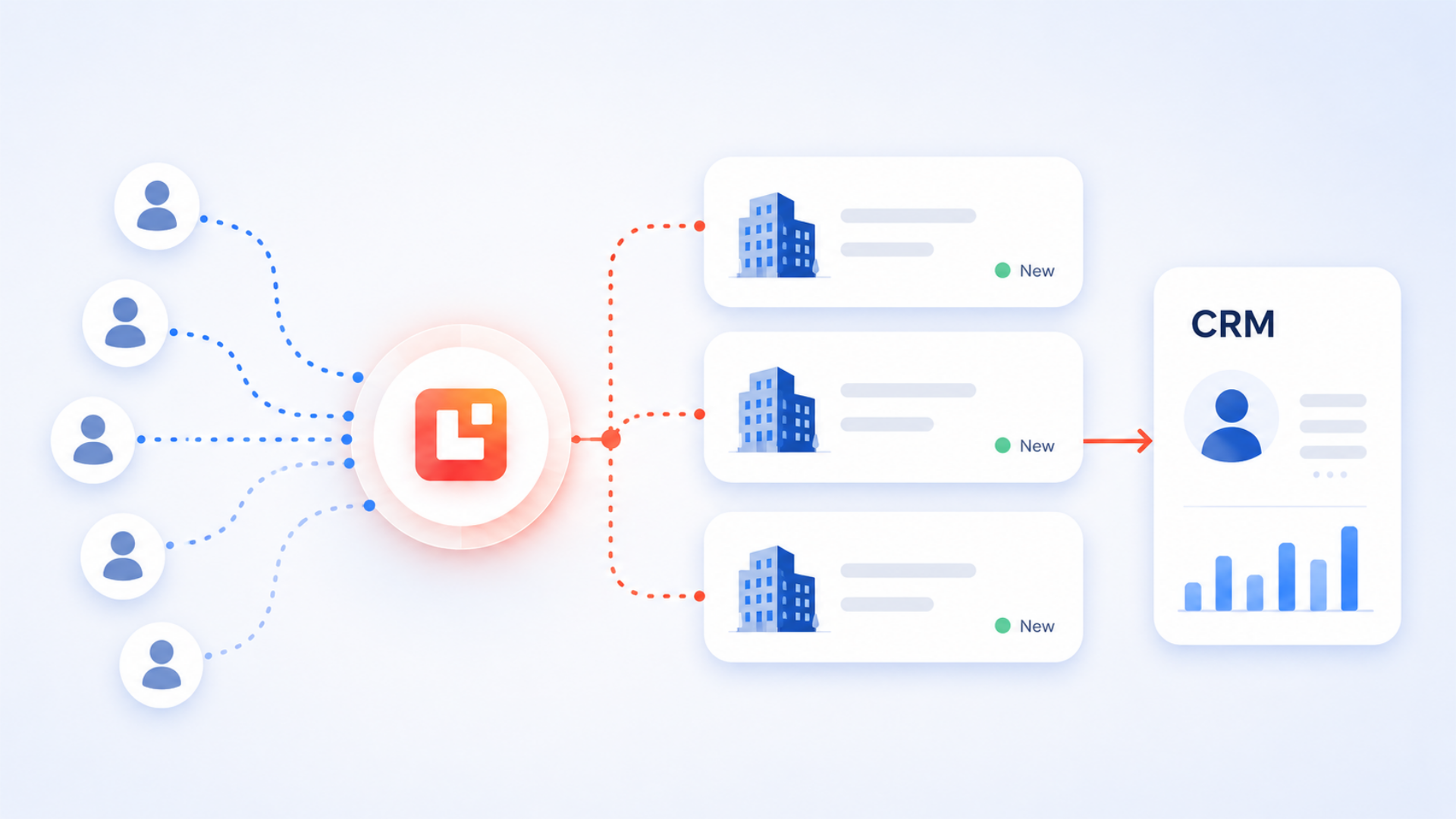
Leadinfo connects website visits, company identification, decision-maker context and CRM handoffs so your team can act on warm intent sooner.
Leadinfo starts with a tracking script on your website. Once active, it can begin identifying B2B companies visiting key pages and recording useful visit behaviour for your team to review.

The system turns part of your anonymous B2B traffic into company-level insight. This gives sales and marketing a clearer view of which organisations are already engaging with your website.
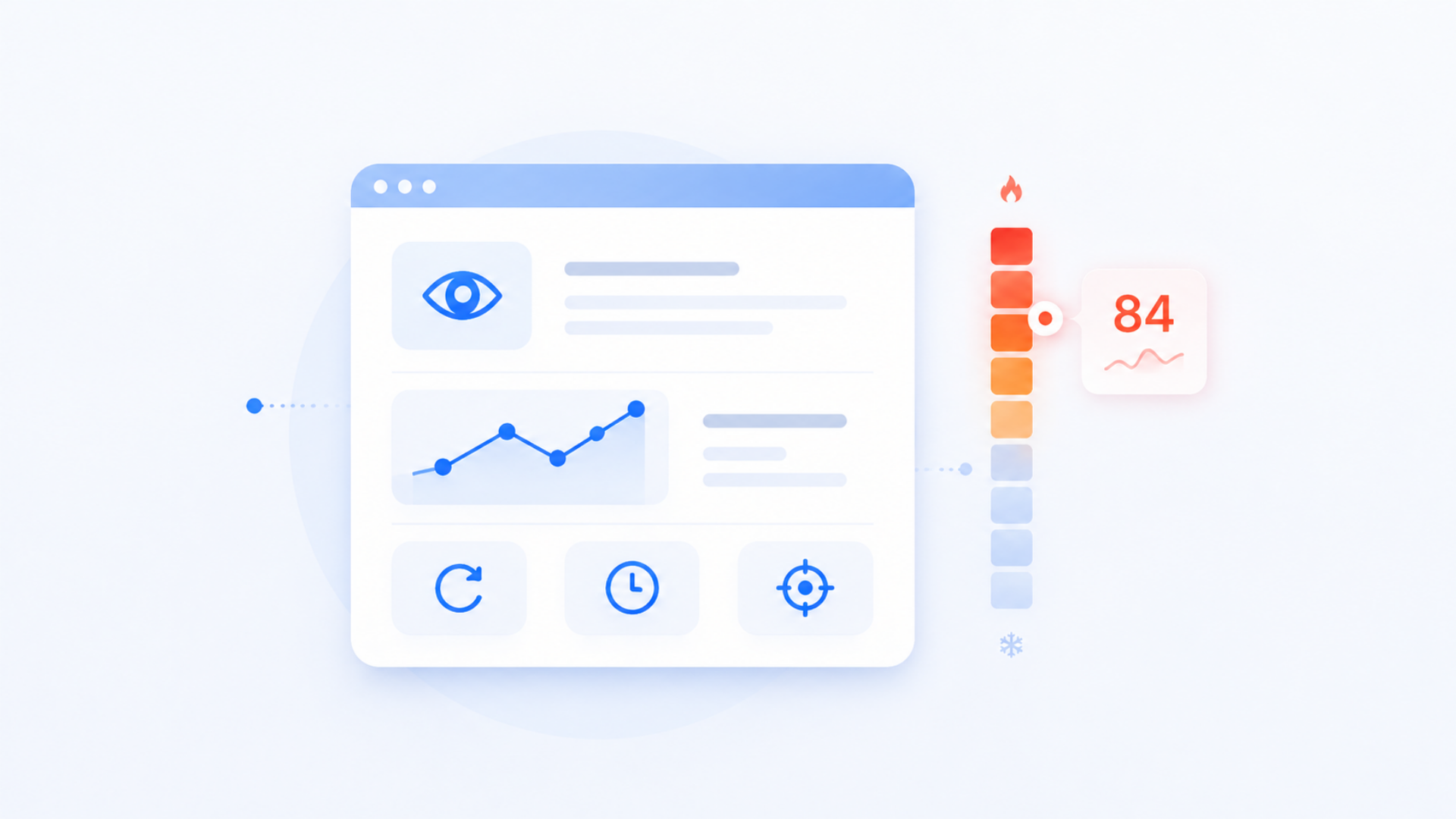
Page views, repeat visits, campaign source and timing help your team understand whether a company is casually browsing, comparing solutions or showing stronger buying intent.
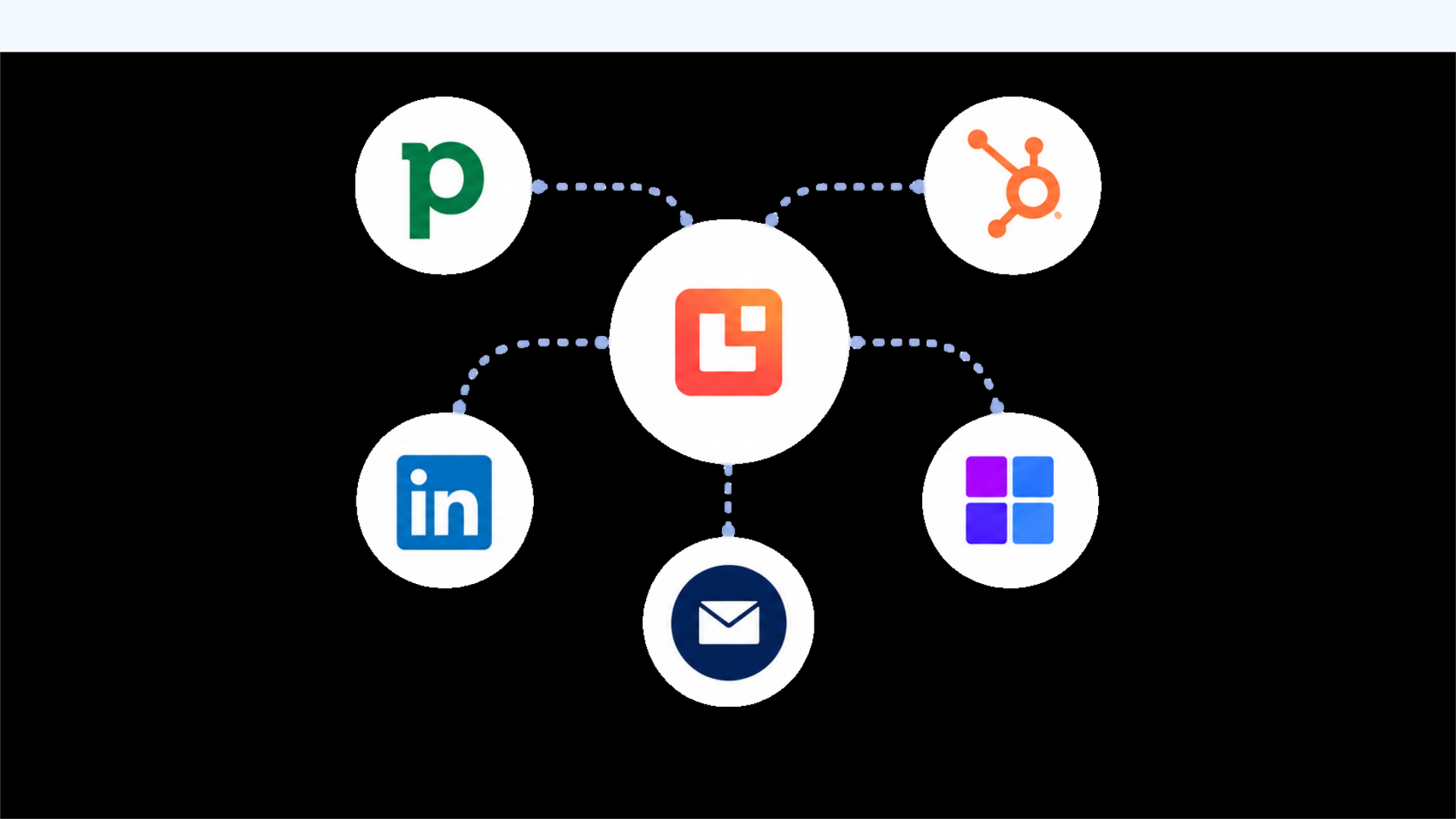
Qualified visits can be routed into your CRM, shared with sales, pushed into alerts or used to trigger follow-up workflows, so the signal does not sit unused in another dashboard.
Leadinfo becomes most valuable when your website already attracts relevant B2B traffic and your team has a clear plan for acting on identified companies. It is less useful when there is no ICP, no follow-up owner or no agreement on what counts as a qualified visit.
Analytics tools can show traffic volume, and prospecting databases can help you build lists. Leadinfo sits between the two: it helps you see which companies are already engaging with your website, then gives your team a more relevant starting point for sales follow-up.
Teams rarely say "we need website visitor identification software." They usually describe practical sales and marketing friction like this.
Leadinfo is B2B website visitor identification software. It helps companies see which organisations are visiting their website, understand what those companies are interested in and create follow-up actions through CRM, alerts, contact data and outreach workflows.
A tracking code is added to your website. Leadinfo then identifies part of your B2B website traffic at company level and shows useful context such as pages viewed, visit timing, source and engagement behaviour.
No. Website visitor identification is not the same as identifying every person who visits your site. Leadinfo is most useful for identifying B2B companies and turning those company-level signals into practical sales and marketing actions.
Leadinfo can help match identified companies with relevant decision-maker profiles and contact data. We help configure how that information should be used, who should own the follow-up and how it should appear in your CRM.
Leadinfo positions its platform as GDPR-compliant, but your implementation still needs to be set up responsibly. We help you think through privacy wording, lawful basis, consent configuration, CRM sync rules and internal data handling so the process is documented clearly.
The technical tracking setup can be quick, but a useful implementation needs more than a tracking code. The important work is deciding which visits matter, how they should be scored, who gets alerted and what happens inside your CRM.
Leadinfo can connect to CRM tools so identified companies and follow-up context can move into your sales process. Flowbird designs the field mapping, lead source logic, ownership rules and alerts so your CRM receives useful data instead of noise.
Yes. Marketing teams can use Leadinfo to see which campaigns, pages and content attract target companies. Sales teams can then use the same insight to prioritise follow-up and make outreach more relevant.
Autopilot is Leadinfo’s follow-up layer for targeting companies that match your ideal customer profile and helping automate outreach activity. It is useful when your team wants identified website visitors to move into a more structured campaign workflow.
A strong first workflow is usually focused: identify companies visiting high-intent pages, filter them against your ICP, alert the right owner and create or update a CRM record only when the visit is worth action.
This is where Flowbird works best: turning website visitor insight into a clear sales and marketing workflow your team can trust.
Talk through your Leadinfo setup with Flowbird →No pressure. No hard sell. Just practical guidance on whether Leadinfo fits your current traffic, CRM and follow-up process.
The goal is not to create another dashboard for people to check. It is to make website visitor identification part of a practical revenue process, with clear qualification rules, CRM handoffs and follow-up habits.
We review your website, target market, sales process and CRM structure so Leadinfo is focused on the companies and pages that actually matter.
We configure fields, views, automation and reporting in a lightweight way, so your team can test quickly on real deals.
We configure handoffs into Pipedrive, HubSpot, Salesforce or other tools, with field mapping, lead source rules, ownership logic and notifications for high-intent visits.
We review what worked, what to refine and what to scale next, so licence and process decisions stay clear, not rushed.
Leadinfo works best when your first workflow is focused. We usually start with high-intent pages, target-account visits or campaign traffic, then expand once the team trusts the signal and knows how to act on it.
No pressure. No hard sell. Just practical guidance.
Strong website visitor identification is not about watching every visit. It is about spotting useful company intent, routing it clearly and helping sales act before the opportunity goes cold.
Sales and marketing teams can see which B2B companies are engaging with important pages, instead of relying only on anonymous analytics.
Visit frequency, page type, campaign source and company fit help teams decide which accounts deserve immediate follow-up.
CRM records can include website visit context, campaign source and page interest, making follow-up and reporting easier to understand.
Alerts and ownership rules help reps respond to high-intent visits while the company is still actively researching.
Marketing can see which content and campaigns attract target companies, not just which pages receive traffic.
Privacy wording, lawful basis decisions, CRM sync rules and data handling are considered as part of the implementation, not left as an afterthought.
We help you move from anonymous website traffic and disconnected sales follow-up to a practical Leadinfo setup that turns company-level intent into clear CRM action.
We review your website traffic, ICP, CRM setup and sales process to decide where Leadinfo can create useful follow-up opportunities.
We help coordinate tracking implementation, privacy considerations, website notices and data handling rules so the setup is clear from the start.
We define which visits matter by company fit, page type, source, repeat behaviour and commercial intent, so your team focuses on the right signals.
We connect Leadinfo into Pipedrive, HubSpot, Salesforce or other systems with field mapping, ownership logic, source tracking and update rules.
We configure alerts, tasks and follow-up processes so high-intent website visits reach the right people at the right time.
We train sales and marketing teams, document the workflow and refine the setup as campaigns, traffic quality and follow-up habits evolve.